01 / START
From Etsy listing to Pin-ready
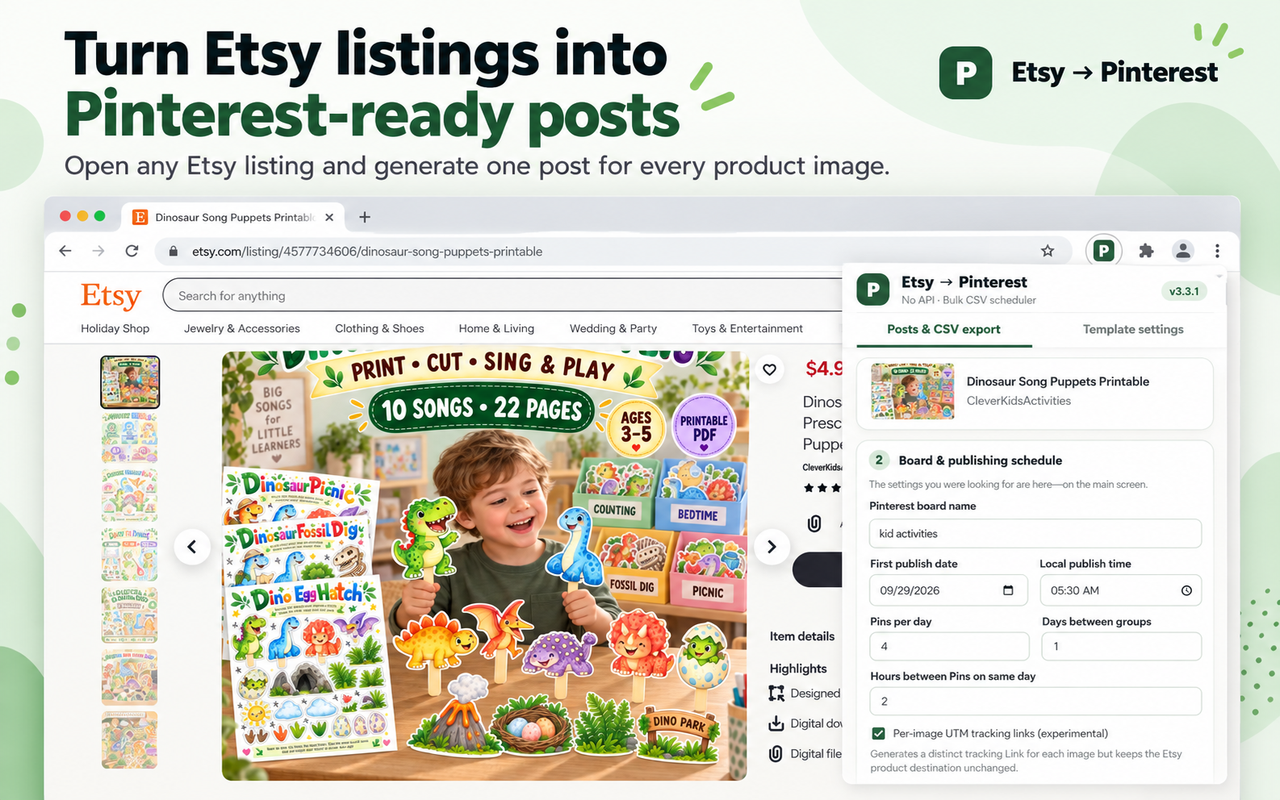
Open an Etsy listing and see the extension prepare Pinterest-ready content from the listing images.
Turn every listing photo into its own Pinterest Pin draft in just a few clicks. Less copying and pasting. More time making things worth sharing.
See the complete workflow in this screen-recorded demo, from opening an Etsy listing to preparing and scheduling Pinterest-ready Pins.
This is a silent screen-recorded walkthrough with step labels. Pinterest processes the uploaded CSV and schedules accepted Pins; the extension does not publish Pins directly.
Feature walkthrough images based on the current extension workflow. Click any image to view it at full size.
Feature previews illustrate the current workflow. Pinterest controls import acceptance, publishing, and scheduling availability.
You already did the hard part: making a product and taking beautiful photos. Now turn those photos into a ready-to-review batch of Pinterest posts.
Pull the available photos and listing details from the Etsy product page you have open.
Use reusable descriptions, optional hashtags and unique Pin titles without starting from scratch.
Choose a board and suggested posting dates, then export an organized CSV for Pinterest Business.
Simple enough to fit into your already-busy day. No Pinterest API keys, no AI prompts and no complicated setup.
Check out the launch offerVisit one of your Etsy product pages and open the Chrome extension. It reads the publicly available listing details and images.
Review an individual draft for each image. Adjust your description template, choose your Pinterest board and select the Pins you want.
Set the starting date, time and posting frequency. The extension prepares the suggested schedule for your export.
Download your CSV and import it using Pinterest Business bulk upload, where available. Pinterest processes the file; check its import results before assuming the Pins went live.
Try five different Etsy listings at no charge after the extension is released, then unlock continued access with one payment.
5 listings free · $4.99 one-time upgradeExplore the workflow with five different Etsy listings.
Keep creating drafts for new listings without a monthly subscription.
Clear expectations: This is a Pin draft and CSV export tool—not automatic Pinterest publishing. Pinterest Business bulk-import availability and accepted formats are controlled by Pinterest. A verified account is required for the five-listing trial; purchases are completed inside the extension using hosted checkout. Each new unique listing is counted when you click Generate.
Everything you need to understand the workflow before getting started.
No. It creates Pinterest post drafts and a CSV with your approved content and suggested posting dates. You then import that CSV through your Pinterest Business account, where bulk upload is available.
No API key is needed to use the CSV workflow. You will need access to Pinterest's bulk-import feature if you plan to import the CSV.
One unique Etsy listing counts as one use when you click Generate. All its images and repeat exports are included without another charge. The balance is attached to your verified email account.
No. The $4.99 upgrade is a single payment for access during the supported life of the product. Install the extension, sign in, and use its Upgrade button. Checkout only opens when payment setup is live.
Yes. Pinterest controls import availability and processing. Review its import report, and avoid repeatedly importing the same Pins because that may cause duplicate posts.
No. DigitalTemplate is an independent software project and is not affiliated with, endorsed by or sponsored by either platform.
An easier way to turn an Etsy listing into a thoughtfully planned batch of Pinterest post drafts.
Explore the launch offer